
Even better, because it’s integrated, you can customize when the Privacy Display turns on through the software. Mine activates automatically with select messaging apps, banking apps, and for notifications, and there’s no visual indication when looking at the phone straight on that the Privacy Display is enabled or not (unless you tilt the screen slightly).
You can still see the screen from the sides with Privacy Display enabled, it’s just much dimmer and harder to make out the content. For maximum effect, you can turn on Max Privacy Protection via the quick settings menu, which makes it near impossible to read the screen from the sides. You don’t want to use that mode all the time because the screen looks washed out, but it’s good for when you want to be extra private. Oddly, Samsung doesn’t let you configure this extra layer to automatically turn on with specific apps—it’s a manual toggle every time.
I’ve seen some complaints online about the Privacy Display affecting the screen quality, but I have to disagree. Then again, the first thing I did when setting up the phone was max out the screen resolution to Quad HD+ and also set the colors to Vivid. I haven’t seen any fuzzy text, and brightness hasn’t been a problem for me either.
Yes, you can buy a cheap privacy screen protector and add it to any phone, but sometimes you do want the person next to you—be it a friend or family member—to be able to read the screen alongside you. Or maybe the phone is on a table, and you want to lazily scroll TikTok while trying to keep an eye on work. That’s where a standard privacy screen protector won’t help, as it blocks you from seeing your own screen, but Samsung’s solution gets around that. Now, I wish every smartphone had a privacy screen.
You don’t need to be doing anything illicit or extremely sensitive to justify having this feature. Maybe you want your conversation with a loved one to be private. Maybe you’re authenticating a login and don’t want anyone else to see the code. Or you’re opening your banking app, and don’t want anyone snooping at your checking account. It’s just nice to have privacy.
The Phone
.jpg)
Photograph: Julian Chokkattu
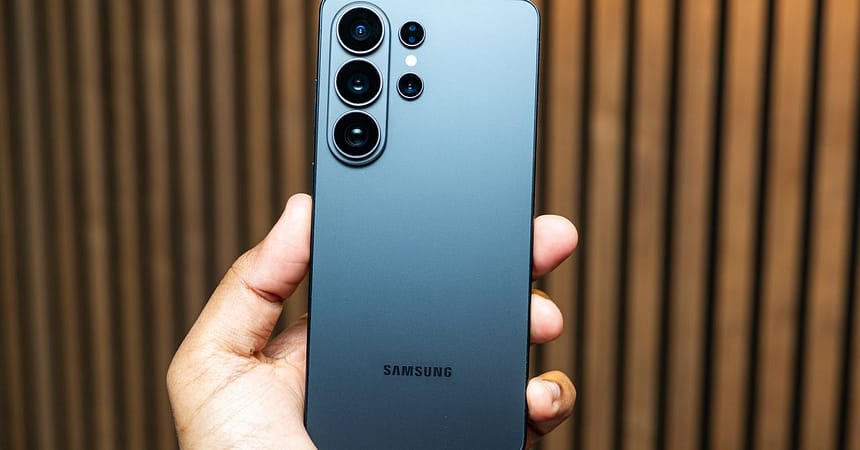
Samsung has made its Ultra smartphone more like the standard Galaxy S26 and S26+, with rounded corners instead of the boxy look of its predecessors. (It’s still the only one of the lot with the integrated S Pen stylus.) The overall design language is still quite dull, and the phone’s muted colors aren’t exciting (you can buy an iPhone 17 Pro in orange for crying out loud!).

