

OpenClaw, the open-source AI agent that runs entirely on your own computer, just landed native apps for Android and iOS. The app does not run the AI itself. Instead, it connects to a private gateway you set up yourself on a Mac, PC, or Linux machine, turning your phone into a secure remote for everything that gateway can do.
How OpenClaw works on your phone
You can pair your phone to the gateway using a QR code or setup code, a process that takes just a few minutes. Once connected, you can chat with OpenClaw directly or switch to Talk mode for real-time voice conversations. Every action the agent wants to take on your gateway requires your approval first.
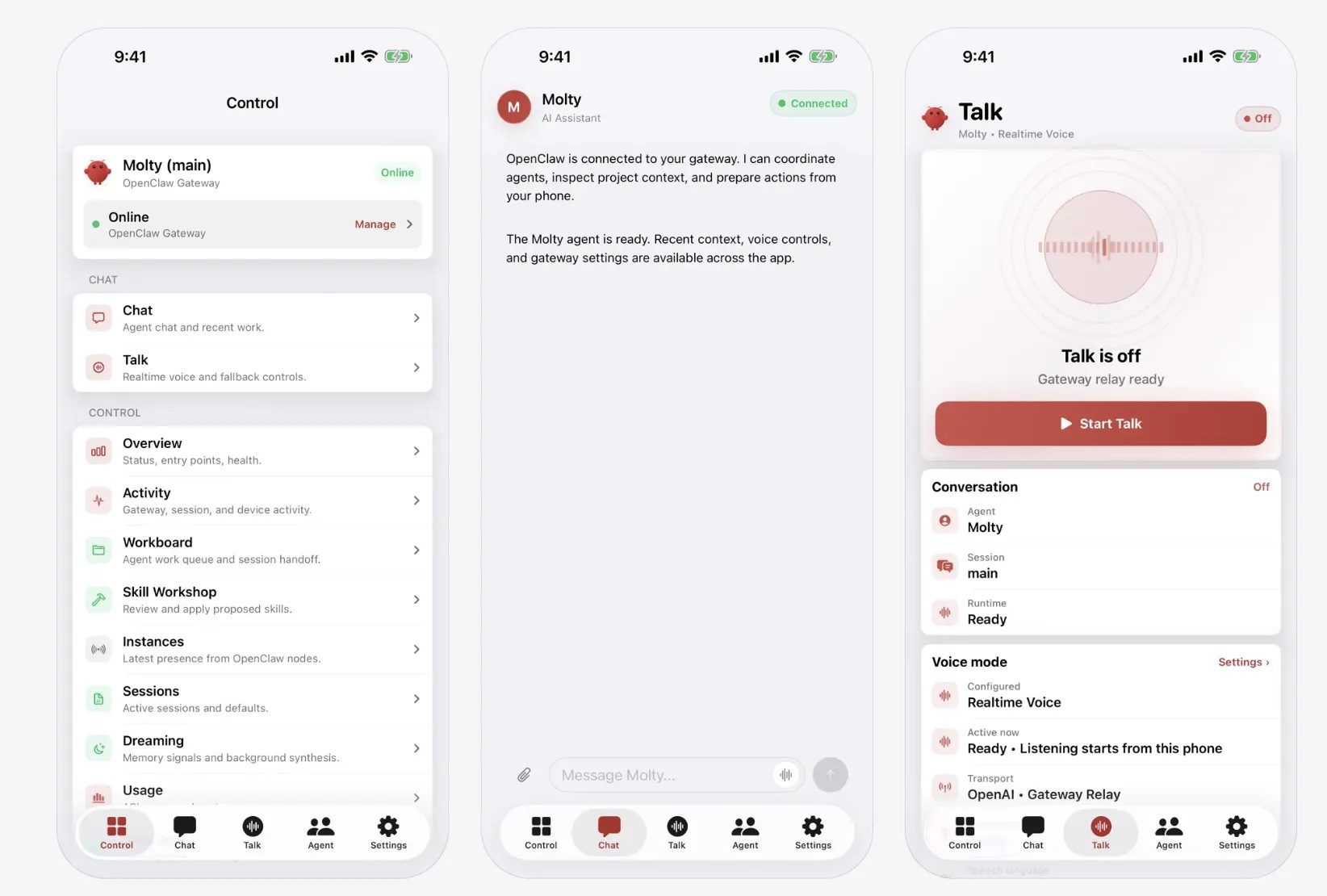
You can also share text, links, and media straight from your phone into OpenClaw, and selectively enable device features such as your camera, screen, location, photos, contacts, calendar, and reminders. Push notifications keep you updated on workflow status even when the app sits in the background.
What makes OpenClaw stand out is that it is open source, which means you can inspect how it works or even customize parts of it yourself. That makes it very different from closed AI apps like ChatGPT or Gemini, where most of the backend remains hidden.
How iOS and Android versions of OpenClaw stack up against each other
The iOS version needs iOS 18 or later and is completely free, whereas the Android version requires Android 12 or higher. Early reviews suggest the two apps aren’t quite polished at the same level.
The Android app’s interface has been described as rough around the edges, whereas the iOS app looks noticeably more refined and lists itself as a Productivity app that collects no user data according to its App Store listing.
OpenClaw’s growing popularity hasn’t gone unnoticed in the industry, and Google is reportedly building its own 24/7 personal agent to compete with it directly.

